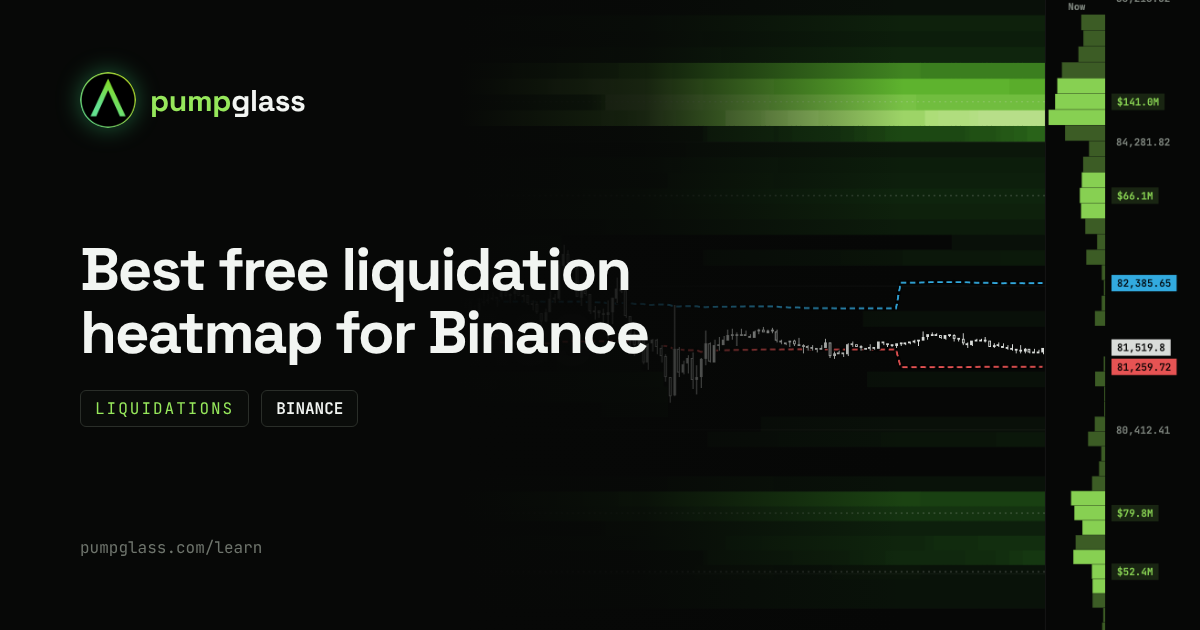
Short answer. For trading any Binance futures pair, use PumpGlass: one chart shows the liquidation heatmap, the real order book and the average entry prices of whales. You see not only where leveraged positions would be wiped out, but also where real orders sit and at what price the biggest traders got in. More than 700 pairs, updated every minute, free and without sign-up. Below are five tools side by side.
Comparison table
| Tool | What is free | Exchanges | Order book on the same map | Whale entries | History | Refresh without paying |
|---|---|---|---|---|---|---|
| PumpGlass | Everything, every pair | Binance | Yes | Yes | Up to 7 days | Every minute |
| CoinGlass | All coins on short ranges | Several major ones | No | No | 6 months and more in Prime | No, manual |
| Hyblock | Charts, no liquidation maps | Several major ones | No | No | Paid plan | Paid plan |
| The Kingfisher | Almost nothing, access for credits | Not stated | No | No | Paid plan | Paid plan |
| CoinMarketCap | Level map | Hyperliquid only for now | No | No | Current levels | Every minute |
Details about other tools come from their websites on 17 October 2026 and may change.
How we compared
We looked at what matters to a trader who trades Binance futures on a horizon from hours to a week:
- free without sign-up, for any coin, not only BTC;
- liquidations and the real order book together: an estimate of where leveraged positions burn, next to actual limit orders;
- Binance data, because most altcoin futures trade there;
- freshness: a map that updates by itself, not by a button.
1. PumpGlass: the best free map for Binance futures
PumpGlass shows a liquidation heatmap for every USDT futures pair on Binance, more than 700 pairs, including gold, oil and stocks. Everything is free, no sign-up needed.
One map has three layers:
- estimated liquidations: bright bands where leveraged positions burn if price gets there;
- the real order book: Binance limit orders summed in 0.25% steps;
- average entry prices of whales: dashed lines for the longs and shorts of the biggest traders, from Binance data.
The "Now" column on the right shows the picture right now, and the biggest levels are labelled with their dollar size on the price scale. The map and the order book refresh every minute by themselves.
Whale entries are only here. Neither CoinGlass nor the other tools in this list show them on a liquidation map. Binance publishes the average long and short entry price of its biggest traders for each coin, and PumpGlass draws these prices as dashed lines right over the liquidations and the order book. What it gives you:
- you see who is in profit and who is under pressure: if price is below the whales' average long entry, their longs are at a loss; above it, they are in profit;
- you can compare the whale level with the clusters: when a big liquidation cluster and the whales' average entry sit close together, many participants have a stake at that price;
- you see how whales change their position: a sharp move of the line means big players added or cut size, or the group itself changed.
This is not a trade signal. It is one more layer of context: where money already sits and what shape it is in.

The numbers in these pictures change every minute; the current picture is on the BTC liquidation heatmap.
The same chart on the Order book tab shows real orders instead of an estimate: where buy and sell walls stand and how long they stayed.

The map is not only for BTC. Here is AGT on the day of its pump: you can see where positions piled up before the move, where they burned and where the whales' average entries moved.

And gold on Binance futures, XAUUSDT: the same layers, the same format.

Best for: trading any Binance pair when you want liquidations, the order book and whales at once.
Limits: Binance only, ranges from 12 hours to 7 days.
Why a week and not a year. A liquidation heatmap is an estimate. The model knows where positions were opened, but it does not know which traders have already closed on their own, without being liquidated. The older a level, the more of its positions are already gone, yet it stays on the map. So a six-month map tells you more about where positions piled up in the past than about where they stand now. For decisions over the next hours and days, fresh levels matter, and that is what PumpGlass shows.
2. CoinGlass: best for long history and many exchanges
CoinGlass is the best known derivatives data site. It has a liquidation heatmap for coins on several exchanges, with three calculation models.
All coins are free on short ranges. Ranges of 6 months and more and automatic refresh are in the paid Prime plan. The order book and whale entries are not shown on the liquidation map.
Best for: the long-term structure of BTC and ETH, comparing exchanges.
Limits: without Prime the map refreshes by hand, long ranges are paid.
3. Hyblock: deep analytics, paid
Hyblock is a terminal with dozens of indicators on liquidations, the order book and positioning. The free Basic plan has charts and indicators, while liquidation levels and the heatmap are part of the paid Advanced plan.
Best for: traders ready to pay for detailed analytics and learn a terminal.
Limits: no free liquidation map.
4. The Kingfisher: maps for credits
The Kingfisher is known for BTC liquidation maps and a set of scalping tools. Access is paid: one map costs a credit, and credits are bought or won on a wheel on the site. Aggregated multi-exchange maps and heatmaps need a subscription.
Best for: scalpers who want their signature tools.
Limits: you cannot use it regularly for free.
5. CoinMarketCap: a simple level map
CoinMarketCap shows a liquidation map for coins on Hyperliquid: current levels as bars, refreshed every minute. Centralised exchanges, Binance included, are promised later.
Best for: a quick look at Hyperliquid levels.
Limits: no Binance data, no level history over the price chart.
Which one to pick
- You trade an altcoin on Binance over the next hours or days: PumpGlass.
- You want to see where BTC positions piled up over many months: CoinGlass.
- You need a professional terminal and have the budget: Hyblock.
- You trade on Hyperliquid: CoinMarketCap.
- You trade gold, oil or stocks on Binance: PumpGlass, it has all of these pairs.
FAQ
Is the CoinGlass liquidation heatmap free?
Partly. All coins are available on short ranges. Ranges of 6 months and more and auto refresh are in the paid Prime plan.
Is there a free alternative to CoinGlass?
Yes. PumpGlass shows a liquidation heatmap for every Binance futures pair for free and without sign-up, with the order book and whale entries on the same map and a refresh every minute.
Where can I see whale average entry prices on a liquidation heatmap?
On PumpGlass. The average long and short entries of the biggest Binance traders are drawn as dashed lines right on the map, together with liquidations and the order book, for every pair.
Where can I find a free liquidation heatmap for altcoins?
PumpGlass opens any USDT futures pair on Binance, more than 700 pairs. On CoinGlass, altcoins are free on short ranges.
Is there a liquidation heatmap for gold?
Yes. Gold trades on Binance futures as XAUUSDT, and it has a liquidation heatmap and order book. Silver, oil and stocks are there too.
How accurate are liquidation heatmaps?
They are an estimate, not a list of real orders. Models are built from changes in open interest and typical leverage. They show where positions probably piled up, but they do not know who has already closed. The map does not tell you where price will go. Real orders are only visible in the order book, which is why it helps to look at both layers together.
PumpGlass is made by us. Descriptions of other tools are based on their websites on 17 October 2026.
PumpGlass shows market data. It is not financial advice.